Video to anime AI · no prompts
Turn any video into anime.
Upload a video, pick an anime style, and get the whole clip back drawn as anime. Free style preview first, no prompts to write.
- Keeps your moves, timing and camera
- Long videos too, up to 10 minutes on Pro
- Your original sound stays on
15 credits a second of video. Previews are free. Full videos need a plan. By uploading you confirm the video is yours, or that everyone in it said yes, and that it follows our content rules (see also Terms).
How it works
Three steps. You only pay at the last one.
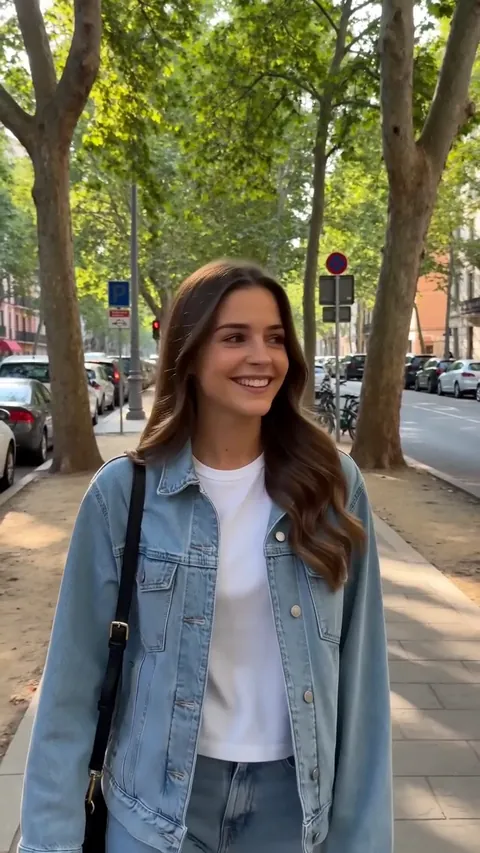
Drop in a video
A TikTok, a dance, a vlog, a music video. MP4, MOV or WebM. Paid plans take up to 10 minutes. We cut long videos into pieces and join them back for you.
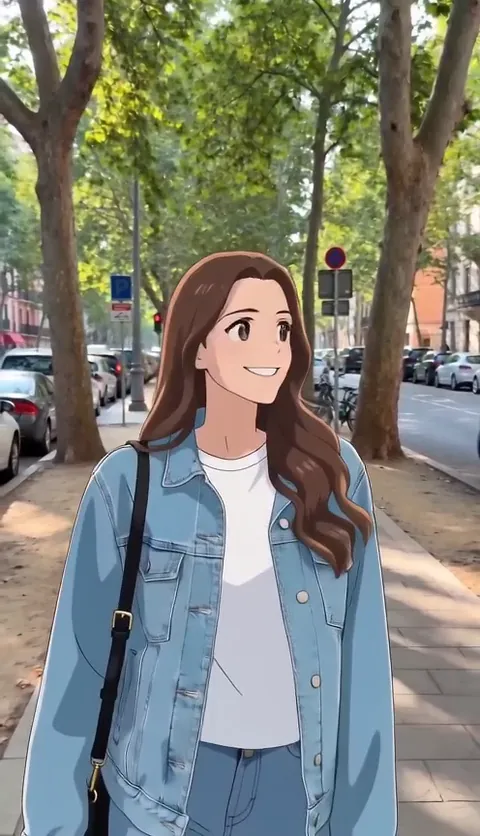
See your first frame as anime
Pick a style and we draw the first frame of your video in it. It's free. Don't like it? Try another style before you spend anything.
Get the whole video back
We turn every frame into that style and put your original sound back on. It costs 15 credits a second, and you see the price before you start.
Styles
6 anime looks, one frame. Try any of them free on your own video.
- Japanese AnimeFlat colors, clean lines, the look of a TV anime episode.
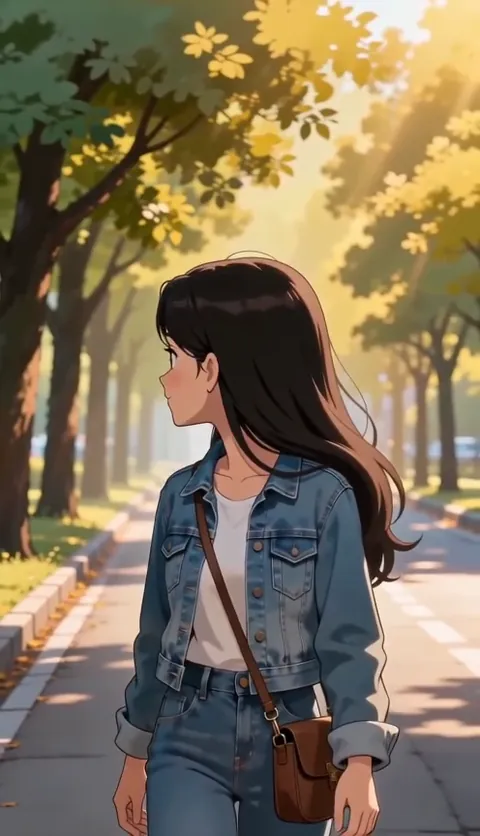 Hand-painted Film AnimeSoft painted skies, warm light, gentle faces. Like an anime film.
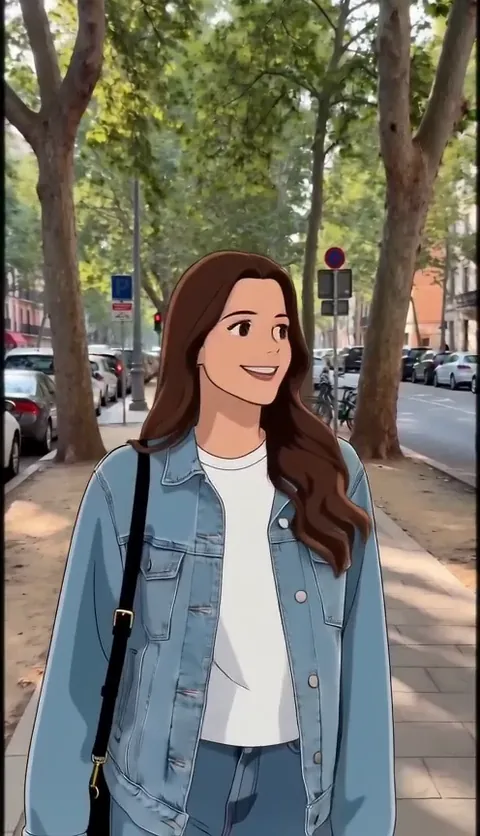 90s Retro AnimeGrainy 90s cel anime with faded colors. Great for music videos.
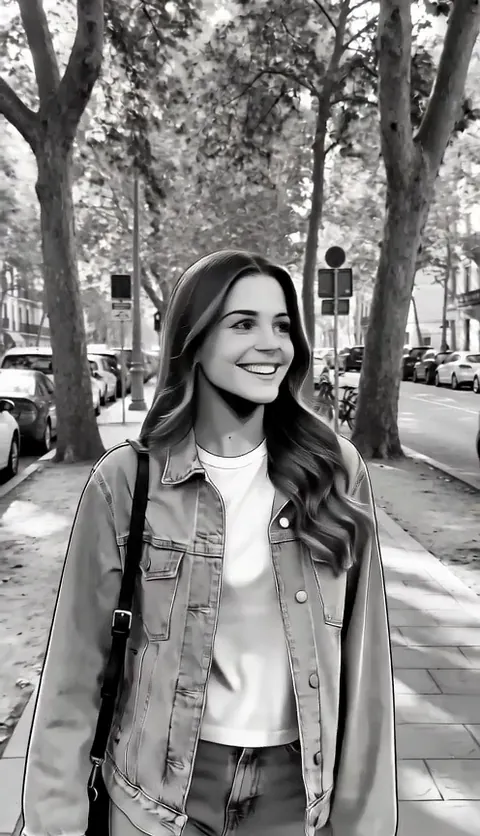 MangaBlack-and-white manga ink with screentone shading.
 ChibiBig head, tiny body, huge sparkly eyes. Super cute.
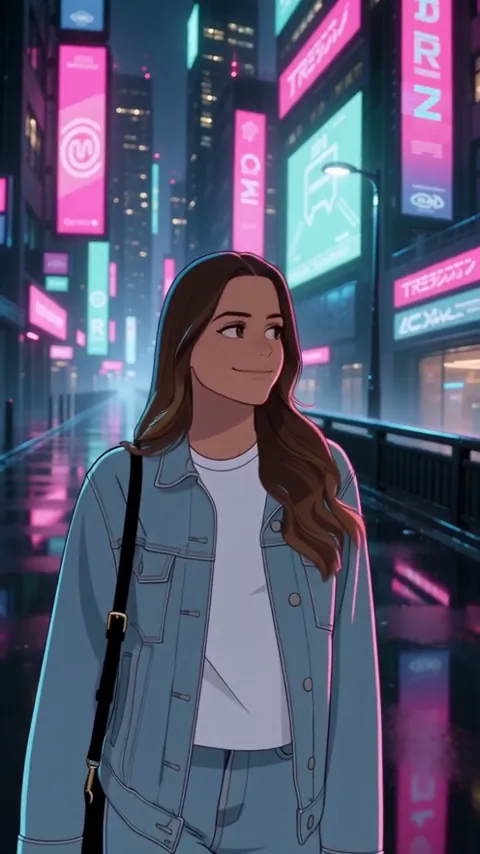 Cyberpunk AnimeNeon night city, glowing signs, anime line art.
Got a long video? Here's how long videos work. Making a music video? Cut it on the beat. Just a photo? Try photo to anime, a Ghibli-style photo or the chibi maker, free.
Tools & guides
More ways to use it, and answers to the questions people ask.
Tools
- VideoGhibli styleGet your clip back looking like a hand-painted anime film: watercolor skies, warm sunlight and soft, rounded faces.
- VideoMusic video (AMV)Upload a dance, a performance or a lip-sync with your song on it.
- VideoAnime opening makerMake your own anime opening.
- VideoRotoscope AIRotoscoping means drawing over real footage, one frame at a time.
- VideoAnime video makerYou don't need to draw or animate anything.
- VideoOne Piece filterTurn your clip into a sunny pirate-adventure anime: thick ink lines, big grins and bright colors, like a frame from a long-running pirate show.
- VideoArcane filterTurn your clip into a painted steampunk animation: brush-stroke textures, sharp features and teal and amber light, inspired by the look of a famous painterly animated series.
- VideoNaruto filterTurn your clip into a 2000s ninja-show anime: sharp angular lines, hard-edged shadows and bold colors.
- VideoMakoto Shinkai styleTurn your clip into a cinematic anime film scene: huge glowing skies, light rays, lens flare and shiny streets, the look people mean by Makoto Shinkai style.
- VideoDragon Ball filterTurn your clip into 80s and 90s battle anime: sharp eyes, bold outlines and strong two-tone shading.
- PhotoPhoto to animeUpload a photo, pick a style, and get it back redrawn as anime in about 20 to 40 seconds.
- PhotoGhibli-style photoUpload a photo and get it back looking like a frame from a hand-painted anime film: painted skies, warm sunlight and soft, rounded faces.
- PhotoChibi makerUpload a photo and get a chibi of you back: big round head, tiny body, huge sparkly eyes.
- PhotoAnime PFP makerTurn a selfie into an anime profile picture.
- PhotoAnime filterMost anime filters paint over your camera.
- PhotoChristmas pfp makerUpload a selfie, a photo with your partner or friend, or your pet, and get a Christmas anime profile picture back in under a minute.
- PhotoMatching pfp makerOne photo of you and your partner, best friend or sibling, redrawn as anime in one go.
- PhotoHalloween pfp makerAn AI Halloween costume, drawn as anime.
Guides
- GuideHow to turn a video into animeHow to turn a video into anime: an online AI converter, a phone filter app, or running it yourself in ComfyUI.
- GuideBest AI anime video generatorsThe best AI tools for turning your own video into anime, compared: clip length, prompts, free plans, watermarks and real cost per second.
- GuideLuma AI alternativeLooking for a Luma AI alternative to turn video into anime?
- GuideDomoAI alternativeLooking for a DomoAI alternative for video to anime?
- GuideHow to make anime editsHow to make anime edits and AMVs: pick a song, cut on the beat, add speed ramps and flashes in CapCut, export for TikTok, or use your own footage.
- GuideReface alternativeReface moved its video restyle to Unboring, capped at 60 seconds.
- GuideWhat is 2.5D animation2.5D animation explained: 2D art moved through 3D depth, how it differs from 2D and 3D, how games and anime use it, and how to make a 2.5D clip.
- GuideWhat is rotoscopingRotoscoping means drawing over real footage, frame by frame.
- GuideAnime art stylesThe main anime art styles, what each one looks like and where you've seen it, plus the same video clip redrawn in six of them so you can compare.
- GuideAnime vs cartoonAnime vs cartoon: where each comes from, how they're drawn and animated, frame rates and stories, with the same clip turned into anime and into a cartoon.
Free vs paid
What's free, and what you'd pay for
Free is a real plan, not a 14-day countdown. Paying raises the limits and switches on the rest. That's the entire upsell.
| Feature | Free | Starter | Creator | Pro |
|---|---|---|---|---|
| Longest videoHow long one upload can be, in seconds. | 10 | 120 | 300 | 600 |
| Free style previews a dayTry a style on your first frame before spending credits. | 5 | 30 | 30 | 100 |
| CreditsCredits renew every billing cycle on paid plans. | — | 1000 / month | 3500 / month | 10000 / month |
Prices and full plan details are on the pricing page.
Pricing
Pricing that fits on a sticky note
Three plans, no per-seat math, no "talk to sales" button. Stay on Free for as long as it does the job.
Free
See what your video looks like as anime before you pay anything.
- Free style previews before you pay
- 5 previews a day with a free account (2 without one)
- Full videos need a paid plan
Starter
For a few clips a month: your TikToks, a dance, a vlog intro.
- 1,000 credits a month (about 1 minute of video)
- Videos up to 2 minutes
- 30 style previews a day
Creator
Most pickedFor people who post every week, or turn whole songs into anime music videos.
- 3,500 credits a month (about 4 minutes of video)
- Videos up to 5 minutes
- 30 style previews a day
Pro
For studios and channels that turn out anime clips in bulk.
- 10,000 credits a month (about 11 minutes of video)
- Videos up to 10 minutes
- 100 style previews a day
- Monthly by default. Yearly only if you pick it.
- Cancel in one click from Settings → Billing. You get an email confirming it.
- Unused credits roll over. Each month's credits last a full year.
- We email you 7 days before a yearly plan renews, with the amount.
- Charges show on your card as "VideoToAnime AI".
- See your first frame in the style for free before you spend a credit.
- You see the exact credit cost before you start: 15 credits a second of your video.
- If a piece fails, we try it again. If it still fails, you get every credit for that video back.
- No "unlimited" plan with a hidden cap. Your credits are your credits.
Prices in USD. Taxes may apply at checkout. Cancel any time from Settings. The details are in the refund policy.
FAQ
Things people ask before paying
Not here? Email support@videotoanimeai.com. A person answers, usually within one business day.
Is it really free to try?
The style preview is free. You get 2 a day without an account and 5 a day with a free one, no card needed. That shows you your first frame in the style. To make the full video you need a paid plan, from $9.90 a month.
How much does a video cost?
15 credits for every second of finished video. A 15-second clip is 225 credits, a 1-minute clip is 900. You always see the price before we start, and if a video fails we give the credits back.
Do unused credits disappear at the end of the month?
No. Credits roll over: each month's credits last 12 months from when you get them, even if you cancel. If you're on a yearly plan, we email you 7 days before it renews, with the amount.
How long can my video be?
Free (previews only): up to 10 seconds. Starter: 2 minutes. Creator: 5 minutes. Pro: 10 minutes. Upload the whole thing, you don't cut anything yourself. We make long videos in pieces of up to 30 seconds at the same time and join them back. You may notice a small jump where two pieces meet, so try a short test first.
Will it still look like me?
It keeps your pose, your moves and the camera, so it reads as you. Faces do change a bit, more in some styles than others, and fast spins or tiny faces far from the camera are where it struggles most. That's why the free preview exists: check the face there first.
Do I keep the sound?
Yes. We put the audio from your original video back on the finished one. If your video has no sound, you get a silent video.
What can't I upload?
No nudity or sexual content. No videos of people who haven't agreed to it. No movies, shows or other people's videos you don't have the rights to. We remove these and may close the account.
How long do you keep my videos?
30 days, then the uploads and the results are deleted. Download anything you want to keep. You can delete your account and its data from Settings any time.
Can I cancel any time?
Yes, in one click: Settings → Billing → Cancel. You get an email confirming it, your plan keeps working until the end of the period you paid for, and you won't be charged again.
Who handles payments?
Our merchant of record. They take the card, handle sales tax and VAT, and send your receipts. VideoToAnime AI never sees your full card number.